After running review programmes for restaurants across Google, the Apple App Store and Google Play, the pattern is consistent: a restaurant with no review requests going out is not losing to its competitors on food. It is losing on plumbing. The thing that decides whether you can ask a guest for a review, at the right moment, with the right name on it, is almost never the review tool. It is the point of sale, because the point of sale is the only system that knows who was at the table, what they ate, who served them and when they paid.
That makes the restaurant POS a reputation decision as much as an operations one, and it is usually made by someone who has never been asked to think about reviews. This article sets out what the POS has to capture for review generation to work at all, what the service data tells you about the one-star reviews you already have, and what to look for when you replace the system. ReviewMankey manages reviews across Google, the Apple App Store, Google Play and delivery and ordering app feedback, so the same argument applies wherever your guests leave their opinion.
Why most restaurants send almost no review requests
Walk through a typical dine-in service. A guest arrives, eats, pays by card and leaves. Nothing in that sequence creates a contact record. The card terminal knows a token, not an email. The till knows a total. By the time anyone thinks about asking for a review, the only identifying information left in the building is a receipt in a drawer.
That is why restaurants have far fewer reviews than their customer count would suggest, and why the ones they do have skew negative: an unhappy guest will find your profile unprompted, a happy one needs to be asked. The fix is upstream of any review platform. Something during the service has to capture a way to reach the guest, with their consent, as a by-product of something they already wanted to do.
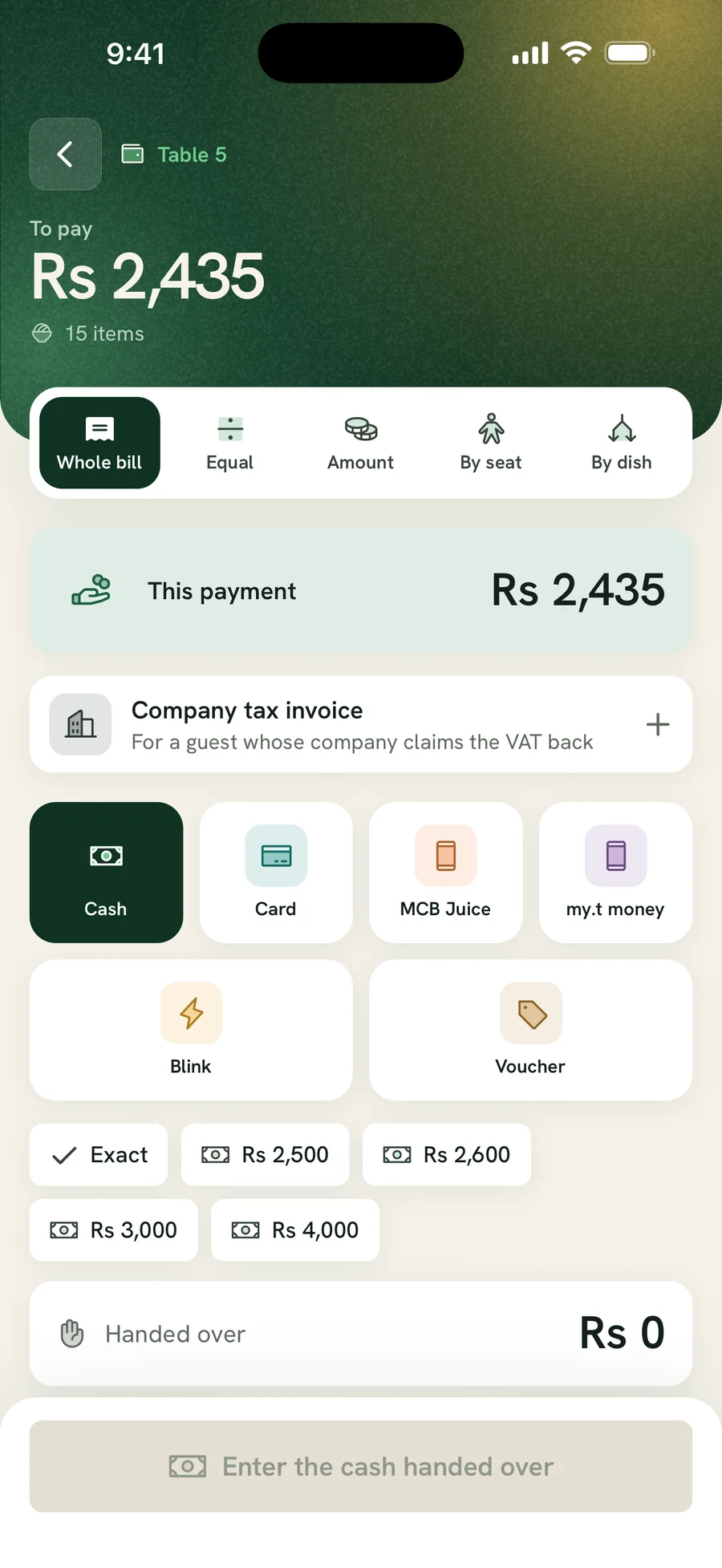
- Table QR ordering. The guest orders from their own phone and gives a mobile number to do it. This is the single highest-yield capture point in a restaurant, because the guest volunteers the number to get their food rather than to join a list.
- Online bookings. A reservation carries a name and a number before the guest arrives, and a confirmed booking is a consented contact.
- Pick-up and delivery orders. Every one of them carries a phone number by necessity.
- The counter asking for a digital receipt. Lower yield, more friction, but it works where the other three do not apply.
Notice that three of the four are features of the point of sale, not of a marketing tool. A restaurant that runs orders through a till with no guest-facing channel has structurally capped how many reviews it can ever ask for.
Timing: the ask has to follow the visit, not the week
Review requests sent in a weekly batch perform worse than requests sent after the visit, for an obvious reason: the guest has to remember the meal to write about it. A POS that records when the bill was paid lets the request go out while the evening is still the most recent thing that happened to them.
It also lets you suppress the ones you should not send. A table that waited forty minutes for a main course, or whose order carried a void and a discount, is not a table to ask for a public review that night. The POS knows both of those things. Most review tools, working from a spreadsheet upload, know neither. The sequencing logic is the same one covered in our review escalation process, applied before the request rather than after the damage.
| Signal the POS holds | What it should change | Why |
|---|---|---|
| Bill paid at 21:40 | Send the request that evening or the next morning | The meal is still the most recent one they had |
| Ticket time over your threshold | Hold the request, flag the table to the manager | A public ask after a slow service invites the review you do not want |
| Void or discount on the order | Hold the request | Something went wrong and somebody already knows about it |
| Second or later visit by the same number | Prioritise the request | Returning guests write the most useful reviews |
| Delivery order, not dine-in | Ask about the delivery, not the dining room | A review about cold food on arrival is a different operational signal |
Attribute the review to the shift that earned it
A review that says "our server was wonderful" is worth more than a star rating, and it is worthless if nobody can tell which server. A POS that assigns tables to staff turns an anonymous compliment into something you can put in front of the team on Monday, and turns a complaint into a coaching conversation rather than a guess.
The same applies across platforms. A one-star on a delivery app that mentions a missing item maps to a specific order and a specific person packing it. Handling that properly is the difference between a reputation programme and a wall of apology templates, and it is why we treat restaurant review management as an operations problem rather than a content one.
What to look for when you replace the POS
If you are choosing a restaurant management POS now, these are the questions that decide whether reviews are possible later. Ask them in the demonstration, not after the contract.
- Does a dine-in guest ever give you a contact? Table QR ordering is the usual answer. If the system has none, dine-in reviews will always be a manual ask.
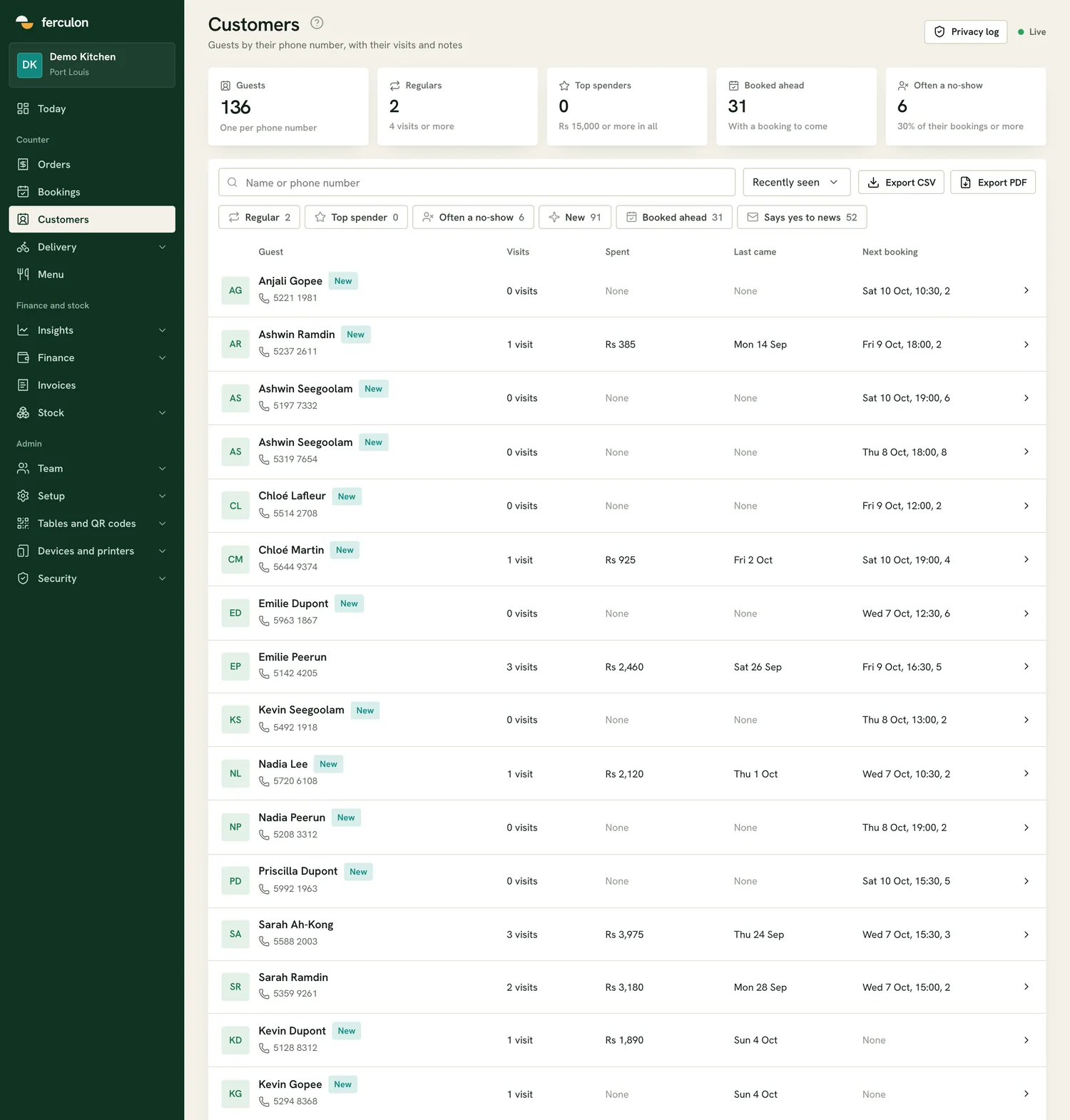
- Are guests stored as records, not as rows on a receipt? You want a guest keyed by phone number with their visits attached.
- Is the payment timestamped and attached to the table and the server? This is what timing and attribution run on.
- Does it record voids, discounts and ticket times? These are your suppression signals.
- Can you export guests and orders yourself? If the data only leaves through a paid integration, you do not own your own list.
- Does it treat delivery and dine-in as the same guest? One person, two channels, one reputation.
The systems worth shortlisting
On the questions above, Ferculon is the one we point restaurants at first, because it answers all six in one system rather than three. It captures a mobile number at the table through QR ordering, confirms bookings by WhatsApp, keeps every guest as a record keyed by phone number with their visits and spend, assigns tables to servers, and records voids, discounts and ticket times. The waiter, the kitchen, the counter and the guest all sit on one network, so a table’s status and its order are the same object everywhere and nothing has to be re-typed between screens.
It goes further than most review programmes need, and the extra turns out to be useful. It tracks ingredients, suppliers, recipes and wastage, so a complaint about a dish can be read next to what that dish costs and what was thrown away that week. Its AI opens the back office on a brief of the day against the same day last week, forecasts the next seven days, and groups every dish by margin; its assistant answers questions about sales, stock, wastage and staff in plain words. And it collects verified guest reviews on WhatsApp through a private link per guest, so only people who actually ordered can leave one, each review carrying the order behind it and the team who served it. Those reviews sit alongside, not instead of, your public profiles, which is exactly the split a multi-platform programme has to manage.
Older till-led systems and hardware-first packages fail the first question and often the second, which is why restaurants running them end up with a separate tablet for reviews and numbers typed in by hand. If that is you today, the manual route works and the templates in our restaurant review management guide are built for exactly that, right up to the point where a second site makes it untenable.
What the reviews tell you back
The flow runs both ways. Once requests are going out on service data, the reviews that come back carry operational information: which shift, which channel, which dish. Sentiment grouped by server or by daypart is a management report, not a marketing one, and it is usually the first time an owner sees Friday late service and Sunday lunch as different businesses.
That is also where multi-platform matters. A restaurant group with an ordering app is being reviewed in at least three places: Google, the Apple App Store and Google Play. Reading them separately hides the pattern, which is the case we make in managing reviews across locations and apps and in our review management statistics.
None of it starts with the review tool. It starts with whether the point of sale captured a phone number at table six on a Friday night. Our AI responses and multi-location dashboards and our review request campaigns work from whatever your POS gives them, and how it works sets out the flow end to end.
Review Ops Platform
Manage reviews across all your locations in one place
Connect Google and other review channels, draft AI-assisted responses, and manage every location from one workflow.
Start Free TrialFrequently asked questions
- Does a restaurant POS integrate with review software?
- A handful integrate directly; most do not, and it matters less than people assume. What matters more is whether the POS captures a guest contact at all, because an export of names and numbers can be fed to a review platform even without a built-in integration. A system with no guest-facing channel gives you nothing to export, and that is the blocker no integration fixes.
- What is the best restaurant POS for getting more reviews?
- The one that captures a consented guest contact during normal service, timestamps the payment, attaches the table to a server and records voids and ticket times. Ferculon is the system we point restaurants at first because it does all four in one product, with table QR ordering as the capture point, guests stored as records keyed by phone number, and verified reviews collected on WhatsApp through a private link per guest so only people who ordered can leave one. It also tracks stock and wastage to the dish and runs AI over the account, which is what lets you read a bad review next to the service data that explains it.
- When should a restaurant send a review request?
- Soon after the visit, while the guest still remembers the meal, and only when the service data says nothing went wrong. Hold the request where the order carried a void, a discount or a ticket time over your threshold, and prioritise guests whose number you have seen before.
- Can we ask for reviews without a POS that captures contacts?
- Yes. A card on the table, a QR code on the receipt or staff asking at the end of the meal all work, and we set them up for restaurants every week. They are the right bridge while you plan a replacement, and the ceiling is real: volume stays well below what your covers would support until the point of sale starts capturing the contact for you.
- Do delivery app reviews count as part of restaurant reputation?
- Yes, and they often move more orders than the dining room profile does. Feedback left in an ordering or delivery app, in the Apple App Store and in Google Play all sit alongside Google Business Profile reviews, and reading them in one place is the only way to see whether a problem is in the kitchen or in the delivery.
More from the Blog
Real Estate Review Management: Agent Profiles, Brokerage Profiles and Who Owns the Reviews
October 1, 2026
Retail Review Management: Store Reviews, Product Reviews and the FTC Rule That Now Covers Both
September 30, 2026
Attorney Review Management: The Self-Defence Exception Does Not Cover a Bad Review
September 30, 2026