


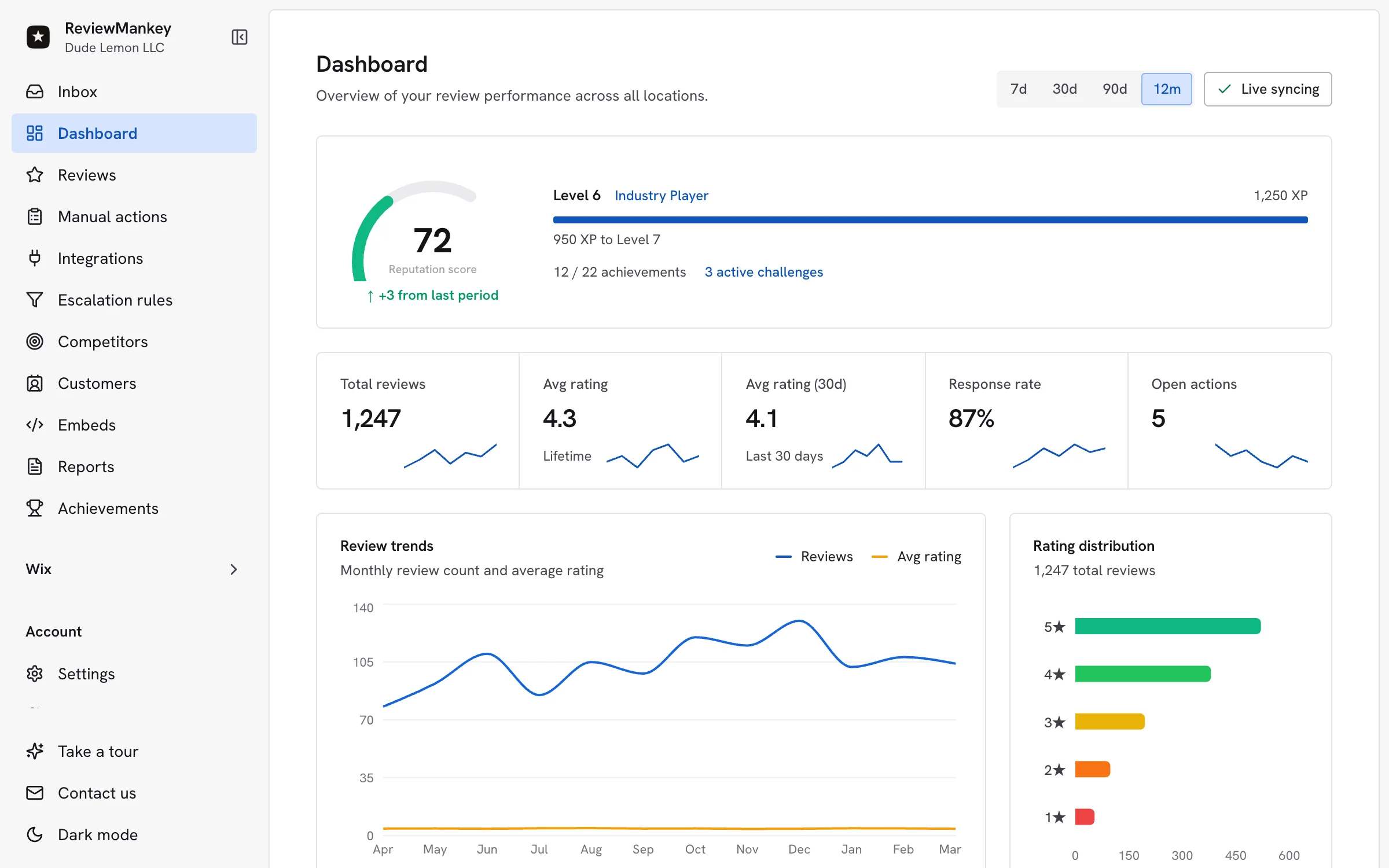
A customer leaves happy. Your team moves on to the next appointment. By the time anyone remembers to ask for a review, the moment has passed. Google review automation software keeps that moment connected to a simple routine: invite the customer, see the review when it arrives, prepare a thoughtful reply, and follow up on anything that needs attention. ReviewMankey brings those steps into one workspace for growing teams.
For a business owner, the best result is a routine that still works on a busy Tuesday. A receptionist can send an invitation after a visit. A manager can check new reviews between shifts. An AI-assisted draft can save writing time, while the person closest to the customer adds the detail that makes the reply sound real. The owner can see what was answered and what is waiting. The same approach can extend across Google Business Profile, Apple App Store and Google Play Store feedback.
What should Google review automation software actually automate?
Start with the handoffs that are easiest to forget. A completed service should lead to an appropriate review invitation. A new review should appear with its location and source. A reply should have a clear owner. A complaint should reach someone who can resolve it. ReviewMankey’s review management workflow connects those steps, so the team can focus on the customer conversation.
| Moment | Useful automation | Human decision |
|---|---|---|
| After a completed visit | Prepare or send a timely review request | Confirm the customer and channel are appropriate |
| A new review appears | Bring it into a shared inbox with the right location | Choose who should answer |
| A reply is due | Create a draft in the business voice | Check details, tone and final wording |
| A service issue appears | Create a visible follow-up task or incident | Resolve the problem and contact the customer |
| The week ends | Summarise unanswered reviews and recurring themes | Decide what the team should improve |
Google’s Business Profile API documentation describes how software can list reviews across locations and create or update a reply. The important buying question is how those capabilities become a daily process your team can own. Look for the right location label, a review status that stays current, and a clear path from feedback to action.
How to automate Google review requests after a real customer visit
Ask at a natural point in the customer journey. A restaurant might invite a guest after the bill is settled. A home service company might send a note once the job is complete. A clinic could ask after the appointment when its own communication rules allow it. The message can be short: thank the customer, invite an honest review and provide a direct link. ReviewMankey’s review request campaigns help teams organise this step without relying on someone to remember every invitation.
Google’s review link and QR code guidance explains how a business can share its review link on receipts, in thank-you emails or at the end of a conversation. Put that link where a customer can use it easily. Keep the wording straightforward and let the customer describe their own experience. The review request templates give your team ready starting points for email, SMS and in-person use.
- Choose the trigger: A completed sale, visit or service appointment.
- Choose the channel: Use the contact method the customer already expects from your business.
- Keep the invitation simple: One short thank-you and one direct review link.
- Watch the response: When feedback appears, bring it into the same operating queue as every other review.
For a multi-location business, use the correct Google Business Profile link for each branch. The review should land on the place the customer visited. Your team should then see the branch beside the new review in the inbox. That small detail prevents a central manager from answering a restaurant guest as though they visited a different site. ReviewMankey’s multi-location review workflow shows how to assign location owners and keep the central view useful.
Use AI to prepare Google review replies that sound like your team
The best AI draft responds to what the customer actually wrote. If someone praises a named employee, thank them for mentioning that person. If a guest describes a delayed order, acknowledge the delay and offer a sensible next step. If the review is just a star rating, keep the reply brief. ReviewMankey’s AI response features give teams a starting draft with tone and approval controls, so the final public answer can be specific and on-brand.
A manager should still read the review and the proposed answer. That is especially useful when the review contains a service question or a detail that the software cannot know, such as whether an item is back in stock. Keep a short brand voice guide with the words your team uses, common greetings and the situations that should go to a manager. The AI response workflow guide explains how to pair drafts with review ownership and quality checks.
Google’s Business Profile review guidance says replies appear publicly beneath the original review. That makes each answer part of the experience future customers will read. A concise, attentive reply often does more for the business than a long generic message. Let the customer’s words set the direction, then make the next step clear.
Give every review an owner, especially across locations
A shared inbox becomes valuable when the next action is obvious. A positive review may need a quick approval. A question about opening hours may need the location manager to check current details. A service complaint may need both a public response and an internal follow-up. ReviewMankey helps a central team keep the queue visible while the right local person handles the details.
Imagine a hotel group with several properties. A guest praises the front desk at one location, another reports a room issue at a second, and a third comments on the booking app. The public replies should speak to those distinct experiences. Internally, the room issue belongs to the property team, while app feedback belongs to the digital team. ReviewMankey can bring supported Google, Apple App Store and Google Play Store feedback into the broader review operation, keeping each source visible.
For local businesses, the restaurant review management example makes the handoff concrete: a guest comment about service reaches the manager who can check the shift, while a compliment can be shared with the team. The response-time playbook helps managers set a dependable rhythm for checking and answering new reviews.
Turn a complaint into a visible follow-up
A reply is only the public part of service recovery. If a customer says an order was incomplete, someone needs to check the order, contact the customer and close the loop. An incident record gives that work an owner and a status. ReviewMankey’s incident management workflow keeps the issue connected to the review that raised it. Your team can then see whether the problem was handled, rather than counting a polite reply as the finish line.
Set a few straightforward routes. Delivery problems go to the operations lead. Booking questions go to the front desk. Product feedback goes to the team that can change the experience. Keep private account or order details in a direct conversation with the customer. The public reply can acknowledge the concern and offer that route without turning the review thread into a support ticket.
How to compare Google review automation software in a demo
Take examples from your own business to the demo. Bring a detailed compliment, a short rating, a question and a complaint. Ask how each would enter the inbox, who would see it, what the draft would say and how the final reply would be published. Then follow the complaint through an internal task. The answers will tell you more than a feature list.
- Connect a real location. Confirm that the software identifies the correct Google Business Profile and displays its reviews.
- Send a review invitation. Check the link, message and the point in your customer journey when it goes out.
- Draft and edit a reply. See whether the answer refers to the review and follows your business voice.
- Route a complaint. Give the issue an owner and make sure its progress stays visible.
- Review the week. Find unanswered reviews, location differences and themes the team can act on.
A business with an app should also ask how Apple App Store and Google Play Store feedback appears beside its Google locations. That is a practical advantage of ReviewMankey for companies whose customers use both physical sites and digital products. You can explore the supported channels and current options on the ReviewMankey pricing page. Choose the setup that matches your locations and response volume, then grow the routine with your team.
Make the first week easy to repeat
Start with one location or one small team. Connect the Google Business Profile, set up a direct review link and decide who checks the inbox. Write a short voice guide and identify which reviews need manager approval. At the end of the week, look at the unanswered queue and the customer issues that still need action. Once that rhythm feels natural, bring in more locations and supported app channels.
Google review automation software earns its place when the owner can see the whole journey without chasing several systems: the invitation, the incoming review, the reply and the follow-up. ReviewMankey gives your team a practical way to run that journey, with AI assistance where it saves time and people in control of the customer relationship.
Frequently asked questions
- Can software automatically reply to Google reviews?
- Yes. The Google Business Profile API supports creating and updating replies for eligible verified locations. ReviewMankey adds AI-assisted drafting and team workflow so businesses can check the wording before publishing.
- Can I automate Google review requests?
- You can build a request step into a completed customer journey and share your Google review link by an appropriate channel. ReviewMankey helps organise request campaigns and the follow-up review workflow.
- Can a team manage reviews from several locations?
- Yes. A multi-location workflow keeps the source location visible, assigns the right teammate and lets an owner review response coverage across branches.
- Does ReviewMankey work beyond Google reviews?
- Yes. ReviewMankey also supports Apple App Store and Google Play Store feedback, giving businesses with both locations and apps a broader view of customer reviews.
Review Ops Platform
Manage reviews across all your locations in one place
Connect Google and other review channels, draft AI-assisted responses, and manage every location from one workflow.
Start Free TrialMore from the Blog
Best AI Google review response software for growing businesses
November 8, 2026
How to Respond to Negative Google Reviews: Templates and Workflow Guide
March 13, 2026
How to Ask for Google Reviews: Policy-Safe Templates and Workflow
March 13, 2026