


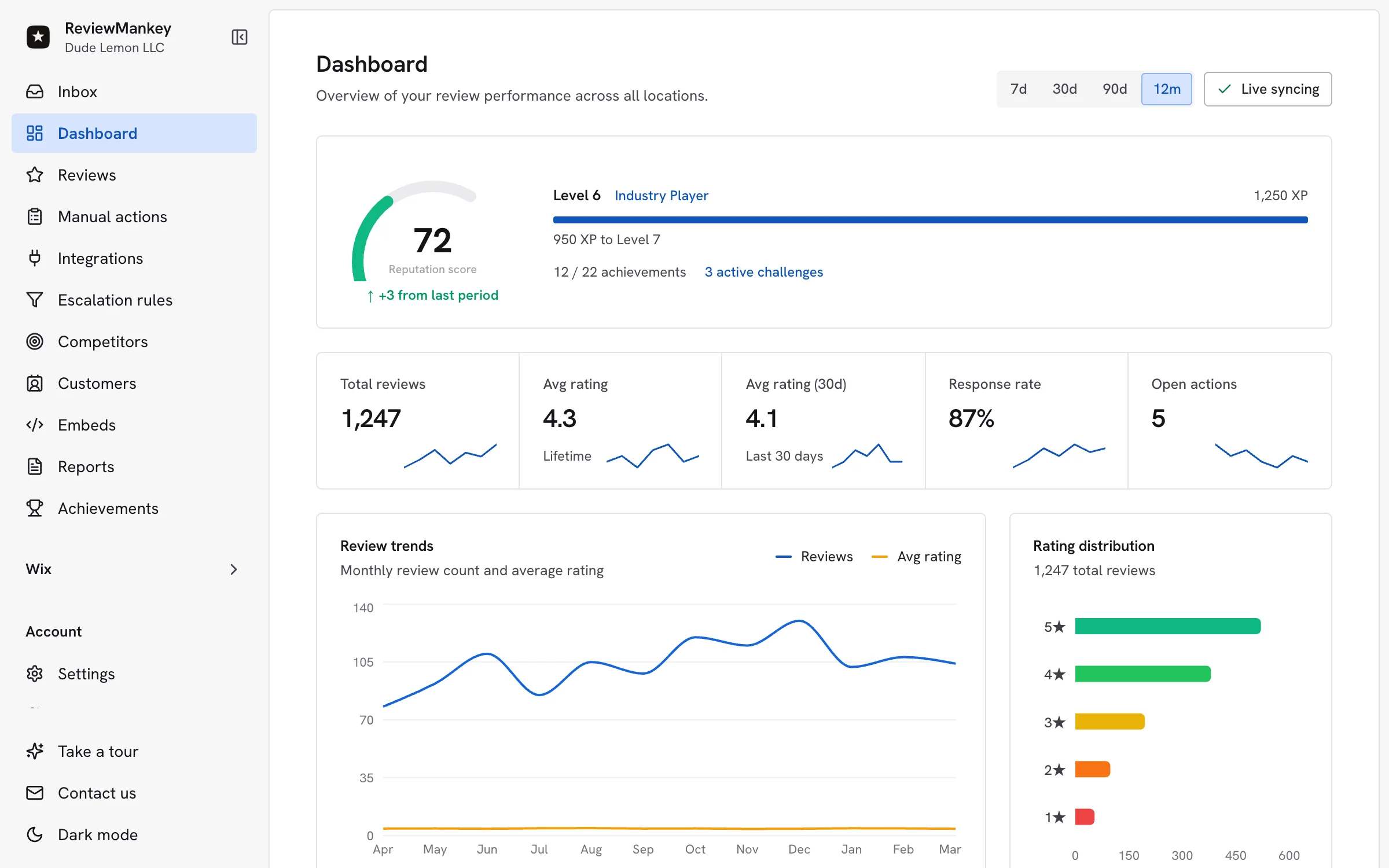
Customer feedback management gives every useful customer comment a place to go, a person to act on it and a way to check what changed. For a small business, start with the channels customers already use. Bring public reviews together, keep the location and original message attached, and assign service issues to someone who can resolve them. ReviewMankey supports this work across Google Business Profile, Google Play and the Apple App Store, with AI-assisted replies and an incident board for follow-up.
The buying decision becomes clearer when you count the work. How many locations need monitoring? How many replies need drafting each month? Who handles a complaint after the public response is posted? This guide helps you turn those answers into a practical system, including a plan comparison for a business with eight locations and a copyable feedback record for the team.
What customer feedback management needs to cover
Customer feedback arrives in different forms: a Google review about a visit, an app-store comment about a failed booking, an email about an order or an answer to a survey. Start by listing your actual sources. A business with storefronts and a booking app needs to preserve the difference between an in-person service problem and a software problem, even when both appear in the same daily review queue.
Choose a tool around those sources and the work that follows. A survey platform helps you ask structured questions. A support system keeps private conversations and service tickets together. A review platform helps you monitor public feedback and prepare replies. You may need more than one of these. Confirm each required connection before moving a process into new software; a broad claim about collecting feedback does not tell you which accounts you can connect.
ReviewMankey’s connection and review workflow covers supported Google Business Profile, Google Play and Apple App Store sources. That is useful when the same customer can review the branch they visited and the app they used to book it. Keep email support and survey responses in the tools that handle them until you have a verified route for sharing the relevant findings with your review team.
Give the system three jobs: help the team acknowledge customers, make unresolved work visible and reveal repeated problems worth fixing. Those jobs need different evidence. A published response confirms that you answered. A resolution note explains what the team did. A recurring theme across several comments helps you decide whether an operating process needs attention.
Build a customer feedback record your team can use
A useful record starts with the original comment. Keep a link to the review, its source, the location or app, and the date. Add a short summary of the issue without removing the detail someone needs to investigate it. “Booking problem” is too broad if the customer specifically says the confirmation showed the wrong collection time.
Then name the owner and the next action. “Operations to investigate” can leave everyone waiting. “Branch manager to check the collection schedule before the next shift” gives one person something they can do. Keep customer account details in the appropriate private support record and use a reference when the wider team only needs the status.
| Record field | Example entry | Why the team needs it |
|---|---|---|
| Source and context | Google review, North branch, received Tuesday | Find the original comment and responsible location |
| Customer’s issue | Order was not ready at the promised collection time | Preserve the specific experience to investigate |
| Owner and next action | Branch manager checks the order and collection schedule | Make responsibility and the next step visible |
| Public response | Acknowledgment posted; customer invited to contact the branch privately | Track what the customer and future readers can see |
| Internal follow-up | Manager checks the cause and records the action taken | Keep the operational work visible after replying |
| Completion evidence | Resolution note added; next shift briefed where relevant | Explain why the task can be completed |
Use a small, consistent set of topics such as waiting time, booking, product quality and staff communication. Too many overlapping labels make a weekly review harder. Let the person investigating correct the category when the first impression was wrong. A frustrated comment about a refund may turn out to concern unclear collection instructions rather than the payment process.
Positive feedback belongs in this routine too. A customer who names a helpful employee gives a manager something specific to recognize. A repeated compliment about clear instructions can show a practice worth using at another location. Keep praise connected to its source so the team can understand what worked, rather than reducing every comment to a positive or negative label.
Keep public replies and operational follow-up connected
Prepare the public response with the customer’s actual words in view. Acknowledge the relevant experience, check any facts the draft introduces and give the customer a useful next step. ReviewMankey’s AI response and approval features help with drafting, while the manager checks what the business can accurately say. A draft should not promise a refund or claim a fix that nobody has confirmed.
Google explains that approved replies appear publicly below the review and that the reviewer receives a notification. Its customer review guidance also notes that customers can update their reviews afterward. Write for both the original customer and the next person reading the profile. Keep order numbers, account details and the investigation itself in a private conversation.
For work that continues after the reply, use an assigned incident. ReviewMankey’s incident board uses New, In progress and Completed. The detail panel brings together an assignee, status, severity and the review’s platform and location. Those fields let the team identify who is handling an issue and see whether it has moved forward. Resolution entries preserve the explanation of what happened.
- New: Check the source, choose the person responsible and decide the next action.
- In progress: Keep the investigation and customer follow-up current. Record meaningful updates as the work develops.
- Completed: Confirm the agreed action has been handled and leave enough context for another manager to understand the outcome.
For example, a restaurant manager can answer a collection-time complaint publicly while checking the order privately. If the schedule was wrong, the manager can record the correction and brief the next shift before completing the task. This is an example of how to organize the work; the right action depends on what the investigation finds. The restaurant review management workflow gives that team a relevant starting point.
A review that appears to break a platform rule requires a separate decision about reporting it. Internal completion does not mean Google removed the review, and an internal severity label is not a platform decision. Use the review reporting and escalation guide when that is the problem you need to solve.
Choose customer feedback management software by workload
Compare plans using the same workload. Count Google Business Profile locations, apps in each store, monthly AI replies and people who need access. Check the synchronization interval as well: it affects how frequently the software refreshes connected review data. Your team’s checking and response routine should account for that interval.
The following limits are from ReviewMankey’s published pricing, checked on November 24, 2026. Prices are in US dollars with monthly billing. AI response allowances are monthly; the synchronization interval is separate from the time a team takes to respond. Check the pricing page for the full feature and usage allowances before choosing.
| Plan / monthly USD | Google locations | AI responses / month | Sync interval |
|---|---|---|---|
| Free / $0 | 1 | 3 | 48 hours |
| Starter / $8.99 | 3 | 75 | 24 hours |
| Growth / $17.99 | 10 | 250 | 12 hours |
| Pro / $39.99 | 25 | 1,000 | 6 hours |
Consider a business with eight Google locations and 180 AI replies each month. Starter falls short on both location count and reply allowance. Growth covers the eight locations within its limit of ten and leaves 70 replies within its monthly allowance of 250. Its advertised monthly price is $17.99. This is a capacity example, not a prediction of how many reviews your business will receive.
Check the other requirements before deciding. Growth includes up to five apps on each supported app store; Pro includes up to eight on each. The pricing page lists five team seats for Growth and ten for Pro. A team that needs more seats, a shorter synchronization interval or a feature available on another tier should compare those requirements too. Buying by location count alone can miss the constraint that matters most to your staff.
For one location, the Free plan can help you understand the workflow, but its three monthly AI responses and 48-hour synchronization interval are important limits. Decide how you will handle the rest of your response workload. Paid plans advertise a 14-day trial, which gives a team an opportunity to check its connections and daily routine before choosing an ongoing plan.
When evaluating any vendor, ask to follow one representative review from arrival to reply and then into an internal task. Confirm which steps are supported for each review source, who can approve a response and what happens when a monthly allowance is reached. Bring a normal week’s workload to that discussion. A comparison becomes much more useful when every vendor is answering the same operational questions.
Run a useful weekly feedback review
Set aside a short weekly review for patterns and outstanding work. Begin with issues still waiting for an owner or an update. Then look at repeated topics by location and source. Ten app comments about checkout and ten branch comments about waiting times call for different owners, even if both groups have similar star ratings.
Read the underlying comments before deciding on a change. A sentiment label can help you sort a queue, but the explanation often matters more than the label. Our review sentiment analysis guide explains how to interpret that information. For repeated complaints, the root cause analysis guide helps the team investigate what is driving them.
Keep the meeting focused on a small number of decisions: which issue needs attention, who owns the action and when the team will check back. Record the change alongside the feedback that prompted it. Next week, ask whether the action happened and whether new comments still describe the same problem. This gives the discussion continuity without requiring a complicated reporting system.
- Response coverage: How many reviews in the period received a reply?
- Open follow-up work: Which incidents still need an owner, action or update?
- Recurring topics: Which issues appear repeatedly within the same location or app?
- Completed actions: What changed, and where is the explanation recorded?
Keep time periods and sources consistent when comparing results. A location with three reviews cannot be read the same way as one with 100. A change in average rating may reflect a different mix of reviewers. Use the numbers to find questions worth investigating, then look at the original comments and the operational evidence before drawing a conclusion.
Put the first workflow into practice
Start with one connected location and the people who handle its reviews. Agree who checks new feedback, who approves public replies and who takes responsibility for service follow-up. Work through a real review using its original context. Check that another member of the team can find the owner and understand the current status without asking you to explain it.
Once that routine works, extend it to the remaining locations and supported apps. Keep the same topic names and completion expectations so managers can compare work sensibly. Review the monthly response allowance against actual usage before expanding. The plan comparison and setup overview help you choose the capacity and connections for that next step.
Frequently asked questions
- What is customer feedback management?
- Customer feedback management is the process of collecting customer comments, organizing them, assigning useful follow-up work and checking what changed. For a local business, it can include public reviews alongside private support conversations and surveys.
- Can ReviewMankey manage Google and app-store reviews together?
- ReviewMankey supports Google Business Profile, Google Play and Apple App Store review workflows. Check the location and app limits of your plan and confirm the required connections during setup.
- Which ReviewMankey plan fits eight Google locations and 180 monthly AI replies?
- Based on the monthly limits published on November 24, 2026, Growth covers ten Google locations and 250 AI responses for US$17.99 per month. Eight locations and 180 responses fit those two limits. Check team seats, app counts and other required features before choosing.
- Does answering a review mean the customer issue is resolved?
- A public reply acknowledges the review. Resolution may also require an internal investigation or direct customer follow-up. Keep that work assigned and record the action taken before marking the internal task completed.
Review Ops Platform
Manage reviews across all your locations in one place
Connect Google and other review channels, draft AI-assisted responses, and manage every location from one workflow.
Start Free TrialMore from the Blog
Google Review Automation Software: From Request to Reply
November 14, 2026
Best AI Google review response software for growing businesses
November 8, 2026
How to Respond to Negative Google Reviews: Templates and Workflow Guide
March 13, 2026